How it worksReleasesSign inGet started
Changelog

What's new in Mylder

Mylder is built with Mylder — feedback in, shipped features out. Here's everything that landed, newest first.

The Architect lives inside every case

The spec-writing AI is no longer a side panel. Open any feedback, theme or work package and the Architect is right there — a conversation that belongs to that case and keeps its history.

  • Talk to it inline: just type, or @ a teammate to loop them in on the same case.
  • It asks one or two sharp questions, then writes the spec — no more endless interrogation.
  • Questions are tappable choices with a recommended option, so you decide without typing.
  • The thread persists and follows the case onto the board when you approve a draft.
app.mylder.ai
The Architect chat inside a case

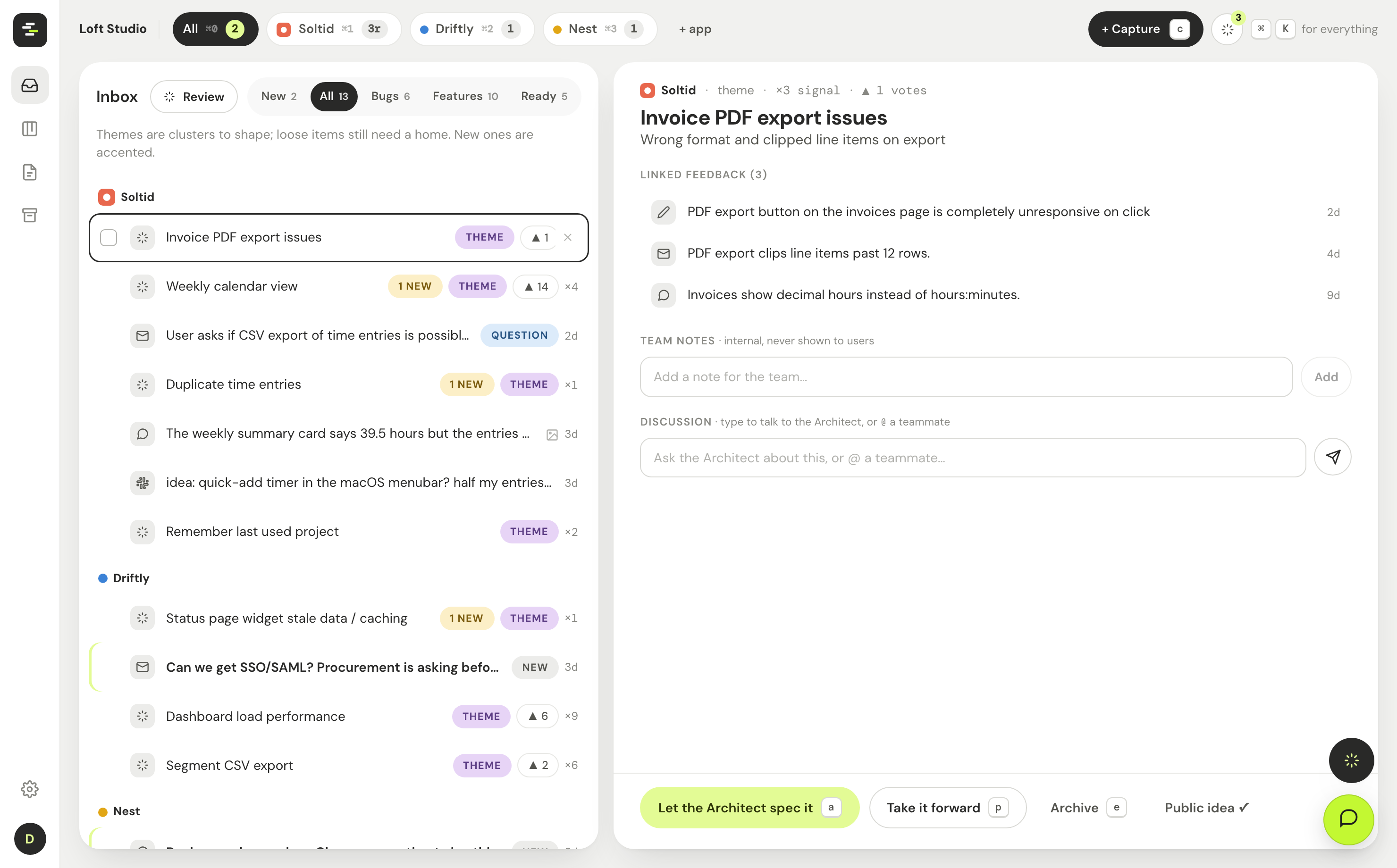
The inbox tidies itself

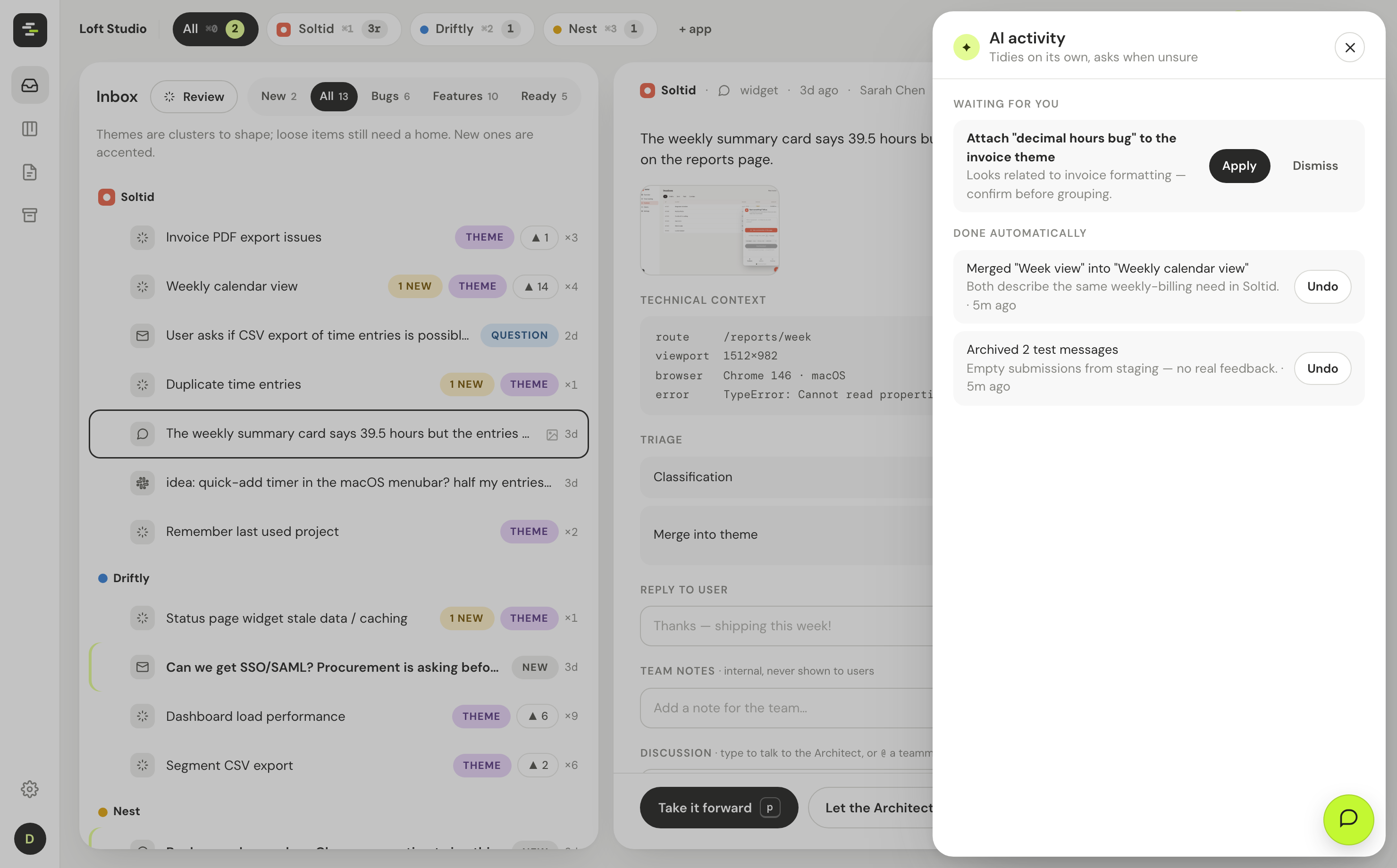
Feedback piles up fast. Now an AI pass keeps the inbox clean on its own — merging overlapping themes, filing loose items and clearing noise, with everything logged and undoable.

  • A spark icon shows what the AI did automatically and what it suggests.
  • Confident cleanups happen on their own; anything debatable waits for your nod.
  • Every action is one click to undo, and dismissed suggestions never come back.
  • Empty themes and items you've sent to dev drop out of the inbox automatically.
app.mylder.ai
AI activity: what the inbox tidied

Screenshots are read, not ignored

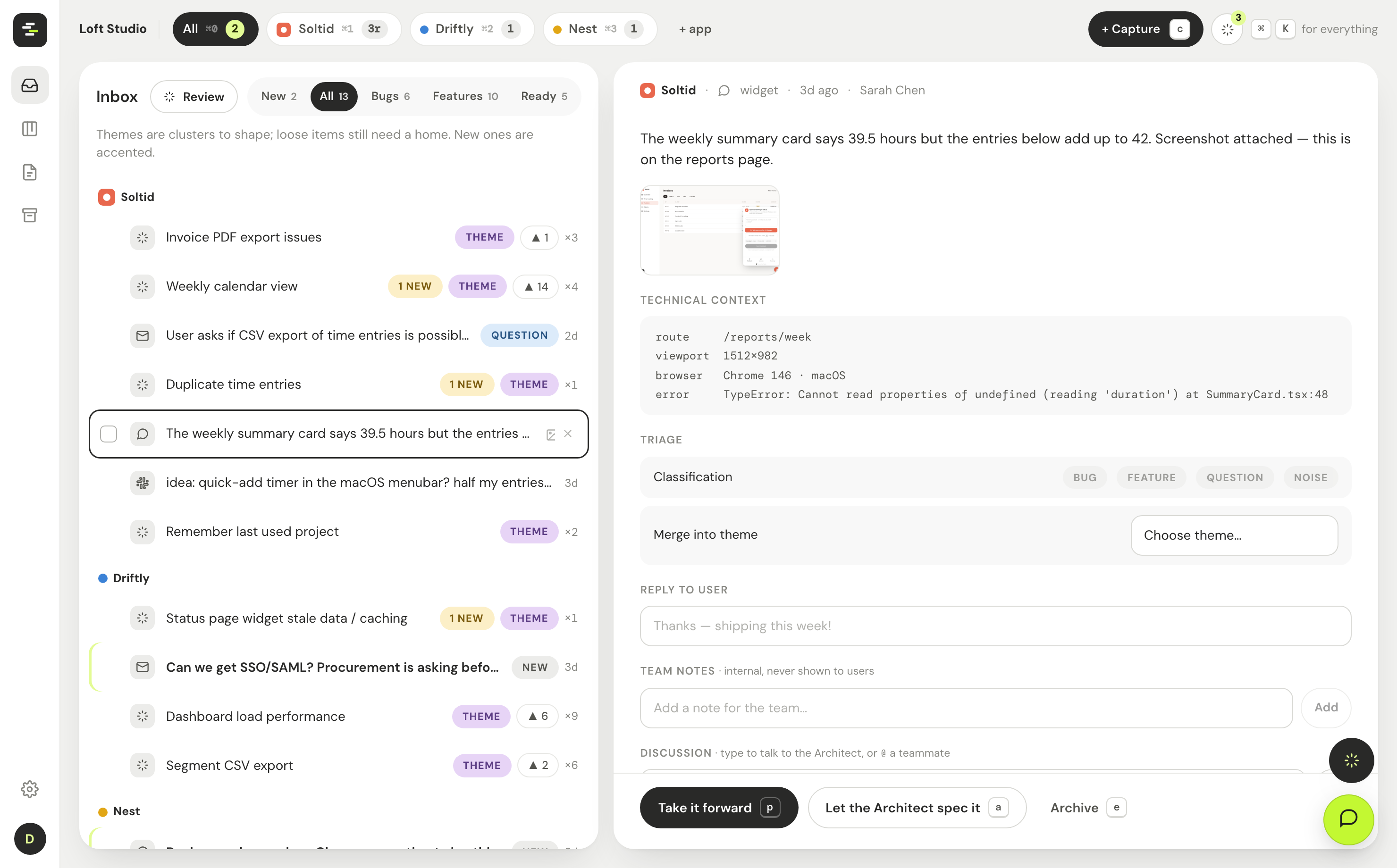
A screenshot is the whole point of a bug report. Triage now actually looks at every attached image — so the AI's read describes what's on screen instead of guessing from the text.

  • Captured and uploaded images flow straight into the AI's assessment.
  • The Architect inherits that read, so specs reference what the screenshot showed.
  • Annotate on a full-size canvas: box, arrow, pen and text you can move and delete.
app.mylder.ai
AI triage reading a screenshot

Connect your GitHub repo

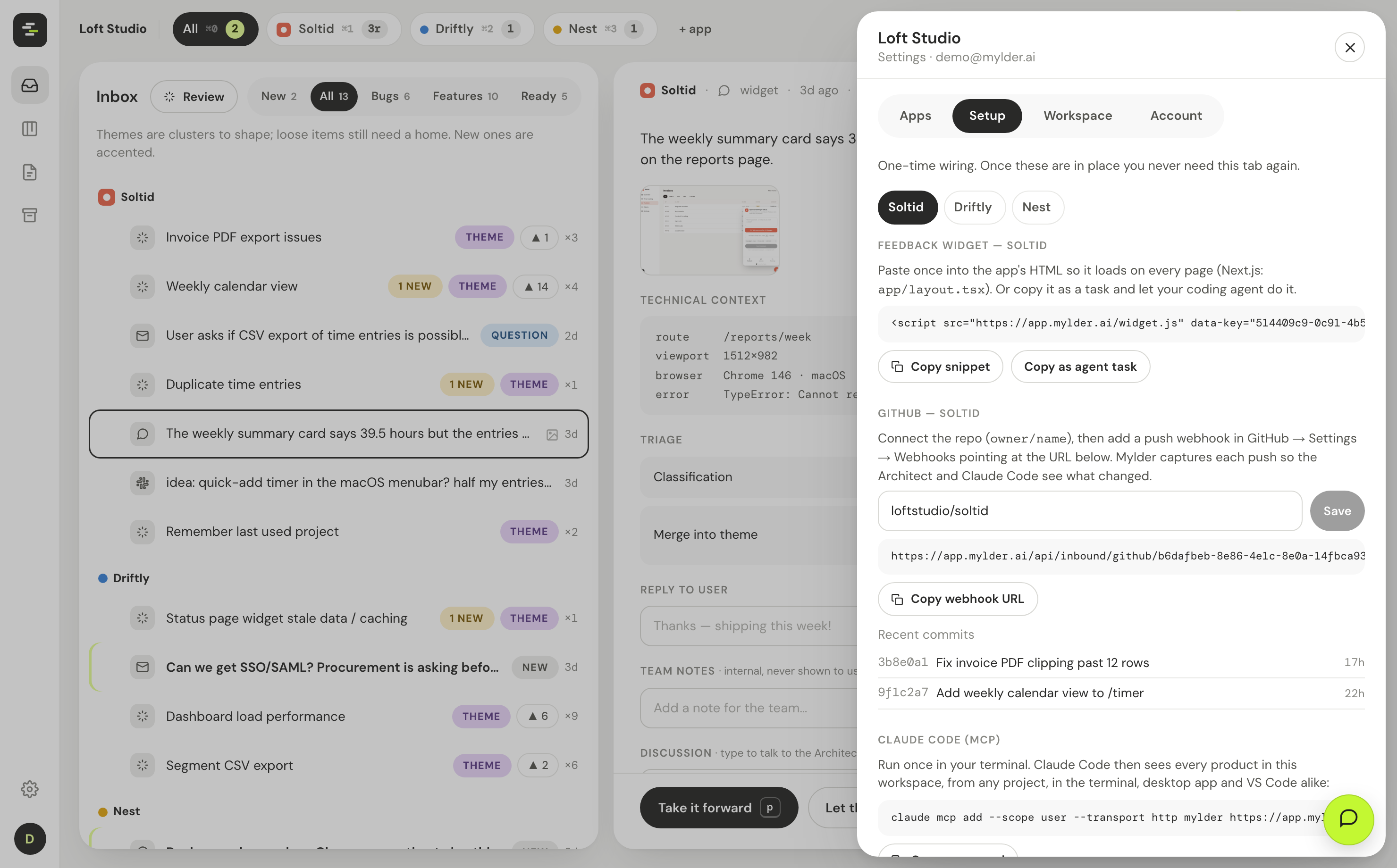
Point each app at its repository and Mylder captures every push — so the Architect and Claude Code know how the app is actually evolving when they shape and build the next thing.

  • Add a repo and a webhook in Settings; commits show up per app.
  • Recent changes feed the Architect's context and the work-package handoff.
app.mylder.ai
Connect a GitHub repo in Settings

An archive you can actually find

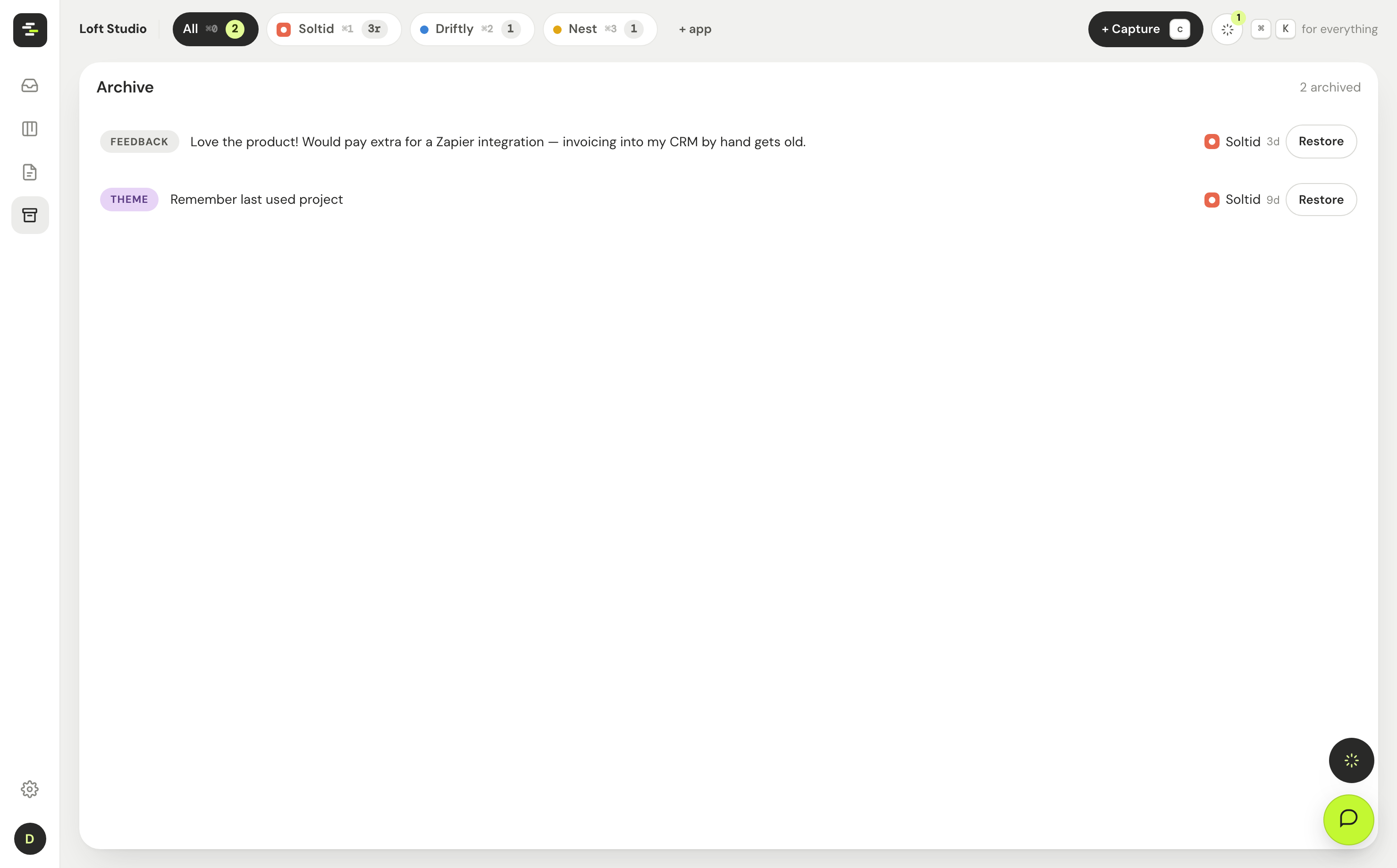
Archived items used to vanish. Now there's a dedicated Archive in the rail — browse everything you've set aside and bring any of it back in one click.

  • Feedback, themes, notes and packages, all in one place.
  • Restore returns an item to where the work happens.
app.mylder.ai
The Archive view with restore

Run your own loop.

Start free — one app